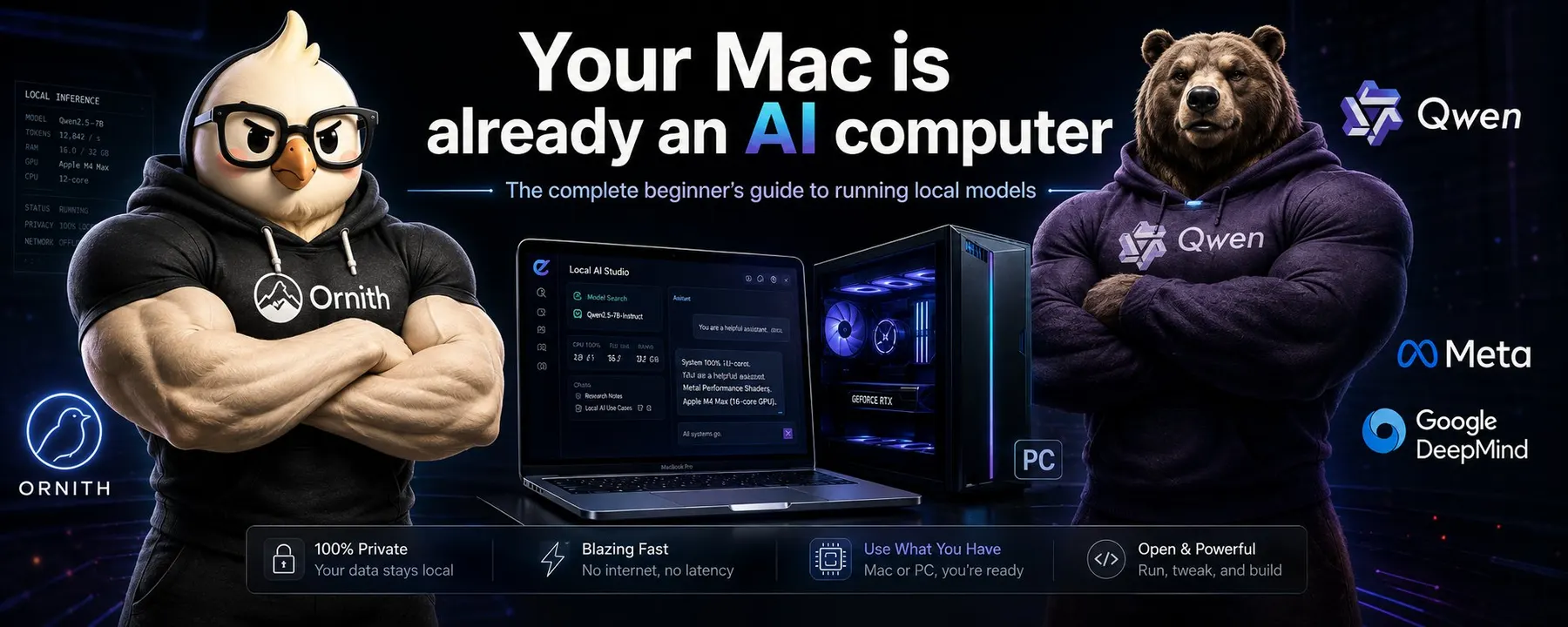
- If your Mac has 16GB or more of unified memory, you can run a real open-weight model tonight without buying anything. Free app, free model file, reversible in two clicks.
- Once the file is on your SSD the tokens are free. No meter, no quota, no provider deciding the price or pulling the model. It works with the wifi off.
- Apple Silicon is genuinely good at this, because unified memory means a 64GB Mac can hold models that no consumer graphics card in that price range can touch.
- Small models got seriously capable. A 9B at about 6GB now scores in the range of models several times its size on agentic coding benchmarks.
- 4-bit is the sweet spot, not a compromise. I ran the same hard task at 8-bit and 4-bit on a 27B, published both, and the 4-bit run held up while using 5GB less memory.
- The desk-side AI boxes cost as much as a well-specified Mac. Find out what the machine you own can do first.
- Cost of the experiment: an evening, some disk space, and the electricity your Mac was burning anyway.
If you want to skip: "Getting a model onto your Mac" is the nine-step walkthrough, "All you need to know to actually run one" is the plain-English theory, "Benchmarks, in one table" is what to download, and "The boxes you could look at later" is the hardware if you get hooked.
Qwen released Qwen3.8-27B and I did what I always do with a model release: I read the benchmark table. Then a second thought landed.
27 billion parameters, Apache 2.0, weights sitting on Hugging Face for anyone to download, and the laptop on my desk is an M2 Max MacBook Pro with 64GB of unified memory. There was nothing standing between me and that model except me. So I thought, why not, and started the download.
That was my first local model ever. Not a lab, not a rack, not a new machine. A laptop I already owned, a free app, and a model file on my SSD.
Think about that for a second.
The model does not go away when a provider deprecates it.
Nobody reprices it out from under you.
It runs when you’re on a plane with the wifi off, in a hotel with bad internet, on a train, with your own notes and your own code, and nothing leaves the machine.
That is a different relationship with AI than paying per month for access to something you cannot keep.
I am writing this because I want to spread the basic knowledge around this topic, and because I believe in it.
I am not telling that a 4bit Qwen will replace your Codex or Claude subscription, but I am telling you to at least do an experiment and run your own model once.
Small models are getting more capable fast, and I think running them at home will go from niche to normal. Qwen3.8-27B is the example that convinced me, and the releases have not slowed down since: Qwen3.8-Flash-Next landed today as a 125B model that activates only 6B parameters per token, and GLM-5.3-Flash landed today too, 320B total with 18B active, MIT licensed, weights public. [55][56] These models will not run on your ordinary macbook, but just to give you an example of how the barrier to entry in terms of model size is decreasing.
The direction is more capability per gigabyte, and gigabytes are what a laptop has.
I put my prediction on this publicly a few weeks ago, and I still hold it. [57]
I think the trend will be more smaller dense and MoE models built for people running on 24 to 32GB of GPU or unified memory and they will become better and better. I also think that if I were deciding, I would put a whole workstream into Apple Silicon specifically, on making models run fast and efficiently there, because there are a lot of Mac owners who could run models today on hardware they already paid for. That is a big market. Give people a great experience on the machine they own, and some of them will go buy a GPU later for something bigger, or buy a bigger mac. If the goal is to popularize local models, that is the path I would take.
The timeline mostly frames local AI as a 100k usd investment. New desk-side boxes, 128GB of unified memory, petaflops of this and that.
But they are not step one. Step one is finding out what the computer you already have can do, because for a lot of Mac owners the answer is more than they expect, and the software costs nothing. You will not invest in GPU or a 512 GB mac studio if you never run any model, or didn’t even try.
Two things I want to be straight about before you read further.
First, If you read this and you never ran a model or ran it once, I am just like you. I am not a guru but a consumer of this technology. I did not do any advanced work on this, controlled benchmarks or anything. I did not tune anything, I did not log wall power, and I am an amateur local user, not a lab.
Second, my goal is to give you all the basic details I can so you don’t have to search anywhere else and after this article, be able to download a model, chat with it and maybe take a second step on your own, thanks to my lesson zero and my encouragement.
Open-weight is not the same as open-source
Open-weight means the trained parameters, the weights, are downloadable, so you can run the model on your own hardware. Whether you can fine-tune it, ship a product on top of it, or rebuild the training run depends on the license, the training code, and whether the data recipe was published. [33]
Open-source in the OSI sense also requires the preferred form for making changes, which usually means source. [32] A downloadable .gguf file is not automatically that.
So read the license on the model card before you build a business on a model. Qwen3.8-27B ships Apache 2.0. [3] Ornith-1.5 is published as MIT on Ornith's blog and GitHub README. [6][7] Both are permissive. Plenty of popular models use custom terms instead. Public weights are not a blank check.
Hugging Face, and why you end up there
Hugging Face is the hub where these files live. Every model has a card, which is a README plus metadata, alongside the files, the license, and the publisher name. [30]
The card should tell you what the model is, what it is for, and how it was evaluated. What matters for a beginner is the publisher. Qwen/Qwen3.8-27B is the Qwen org itself. unsloth/Qwen3.8-27B-GGUF is Unsloth's quantized copy of the same family. [1][12] Both are useful. They are not the same repo, and community re-uploads sit right next to official ones in search results.
Two file formats you will see constantly, and both are simpler than they look. A model is a very large pile of numbers. Somebody has to save that pile into files, and there are a few conventions for doing it.
- safetensors is the plain way of saving the numbers. It is what publishers upload first, usually at full precision, so the files are big. Official Qwen3.8-27B is BF16 safetensors, which is why the repo runs into tens of gigabytes. [1]
- GGUF is the version made for people like us. One file holds the shrunk-down numbers plus the instruction manual the app needs: the tokenizer, the chat template, the settings. Because it is self-contained, a local app can open it and start talking with no Python and no setup. It came out of the llama.cpp project, which is why LM Studio, Ollama and most desktop apps default to it. [31]
- MLX builds are the same model repacked for Apple Silicon, and on a Mac they are often the faster of the two. Usually a small folder rather than one file.
So: GGUF or MLX for running on your own Mac, safetensors if you are doing Python work. That is the whole distinction.
The good news is you can ignore most of this at the start. LM Studio or other free software searches Hugging Face for you and tells you which files your machine can handle.
The vocabulary, quickly
Inference is running a finished model to get output. It is not training.
Parameters are the numbers inside the model. "9B" is about 9 billion of them. Bigger usually means a bigger file and more memory. It does not automatically mean better at your task.
Tokens are the pieces of text the model reads and writes. Context length is how many it can hold at once. Qwen3.8-27B and Ornith-1.5 both document a 262,144 token window. [1][4] That is the maximum the card claims, not what your Mac will hold in RAM.
RAM is system memory. On Apple Silicon it is unified, shared between CPU and GPU. VRAM is the dedicated memory on a discrete GPU.
Quantization is storing the weights with fewer bits so the file and the memory footprint shrink. You give up some quality. "4-bit" is a family of methods, not one quality level. [18][31]
One habit that will save you a bad first evening: do not treat the file size as the memory you need. The app, macOS, and the conversation cache all want RAM too, and my own 27B runs grew well past the size of the file on disk. Leave headroom. There is a whole section further down on where that memory goes and which settings to touch.
What you actually need at home
If you already own the computer, the list is short:
- An Apple Silicon Mac, M1, M2 or later, or a PC with enough RAM and VRAM
- Free disk space for the model file
- A runtime. For a first attempt, use one with a GUI
- Enough memory for the weights plus overhead plus whatever else you have open
LM Studio's own requirements are Apple Silicon, macOS 14 or newer, and 16GB or more of RAM recommended. They say 8GB Macs can work if you stay on small models and modest context. Intel Macs are not supported. On Windows they recommend at least 16GB of RAM and at least 4GB of dedicated VRAM. [17]
That is the floor for the app. It is not a promise that a 27B model will feel good.
Rough fit bands
These are starting points based on published file sizes, plus my judgment about headroom. Always look at the file size in the app before you download.
| What you might download | Published file sizes | Where I would expect it to be comfortable |
|---|---|---|
| Small 9B, 4-bit class | Ollama lists ornith-1.5:9b at 6.6GB. [8] AtomicChat's 4-bit class Ornith-1.5-9B GGUFs are 5.5 to 5.9GB, plus about 0.9GB if you want the vision projector. [9] | A 16GB Mac is enough for a first real chat at modest context. Close other apps. |
| Mid 27B, 4-bit class | ggml-org lists Qwen3.8-27B GGUF Q4_K_M at 19GB. [11] LM Studio lists a Qwen3.8 build at 16.10GB and says the smallest one wants 16GB of RAM. [19] Unsloth says Qwen3.8-27B runs on 17GB RAM or VRAM setups. [13] MTPLX's Optimized Speed build is 20.4GB. [23] | 16GB is the documented minimum for some of these files. I would call 32GB the comfortable band. My 4-bit 27B run peaked near 30GB of memory at 132k context, so the context is what gets you, not the download. |
| Mid MoE around 35B, quantized | Ollama lists ornith-1.5:35b at 23GB. [8] Ornith's own card puts the BF16 checkpoint near 70GB and uses two 80GB GPUs for full precision serving. [5] | 23GB fits a 32GB machine on paper. With context and macOS in the picture, 48GB and up is the relaxed version. Full BF16 is not a beginner Mac download. |
CPU-only inference works on many runtimes and is usually slow. On a Mac you want Metal or MLX, which use the GPU side of unified memory.
If you are on a PC with a GPU
NVIDIA is the path local apps document first, because CUDA is the oldest and densest ecosystem for this. VRAM is a hard wall: the model has to fit in the card's memory, or it spills into system RAM and slows down. A 12GB card is a 9B machine. A 24GB card gets you into quantized 27B territory.
A strong CPU with a lot of system RAM can still run GGUF files. Expect much lower speeds.
On AMD, the official Ryzen AI Max+ material names LM Studio, Ollama, llama.cpp, vLLM, ComfyUI and ROCm as supported tools. [40] I am not going to pretend any AMD desktop card is a drop-in CUDA replacement. Check the runtime docs for your specific card.
If you have any of these at home, you already have the hardware for this article. That is the point.
Why Macs are good at this
Apple Silicon uses unified memory. The CPU and GPU share one pool. MLX, Apple's array framework, is built around that idea: arrays live in shared memory and work can run on CPU or GPU without copying the model into separate VRAM. [26]
That is the practical advantage. A 64GB Mac is not a 64GB GPU, but it is also not capped at the 8, 12 or 24GB of dedicated VRAM that most home graphics cards give you. My 64GB MacBook held a 27B model at 8-bit that was using up to 35GB while it worked. There is no consumer graphics card in that price range I could have done that on.
The honest limits, because this gets oversold:
- macOS and your other apps still need memory. You do not get the whole pool.
- Metal publishes recommendedMaxWorkingSetSize, which Apple describes as an approximation of how much memory the GPU can allocate without hurting performance. [29] It is not 100% of your RAM. I have not measured the value on my own machine.
- You cannot add RAM to these machines later. What you bought is what you have.
- CUDA still has more servers, more papers, and more day-one support when something new drops. MLX and Metal are very good on Apple Silicon, and they are not a full CUDA replacement.
Bandwidth and core counts vary a lot across M-series chips and memory configurations, so I am not turning this into a buyer's guide. Use the Mac you have and find out.
One more thing I believe about the Mac side: the tooling for running local models on Apple Silicon is a huge and still unstructured market. So many people own a Mac with enough RAM for this and have no idea. The projects that reduce onboarding friction are the ones that will bring local models to a wider audience, and there are several of them now.
Getting a model onto your Mac and actually using it
Here is the part I wish someone had written for me. Nothing below requires a terminal, a card number or a new machine, and everything is reversible: you download an app, you download a file, you chat, and you can delete both.
The prize at the end is worth naming. Once that file is on your SSD, the tokens are free. Not cheap, free. No meter, no rate limit, no monthly cap, no "you have used your quota". Paste a whole document in, ask it to redo the answer six times, leave it running while you make coffee. The only cost is the electricity your Mac was going to burn anyway and the time you spend waiting for tokens. That changes how you use a model. You stop rationing.
Step 1: check what your Mac can hold
Look at Apple menu, About This Mac, and read the Memory line. That number is your budget. My rule of thumb, from my own runs rather than any official guidance: take the model file size, add about a third for the app, macOS and the conversation cache, and that is what the run will really want. A 6GB file is a comfortable 16GB Mac. A 19GB file is fine on 32GB and tight on 24GB. If you have 8GB, you are not out of the game, you are in the one-to-two gigabyte model class, and those got good this year.
Step 2: install LM Studio
Get the Apple Silicon build from lmstudio.ai/download, open the .dmg, drag it to Applications, launch it. Their published requirements are Apple Silicon, macOS 14 or newer, and 16GB or more of RAM recommended, with 8GB workable on small models. [17][20] Intel Macs are not supported. [17]
Step 3: find a model, and read the filename
Use the search built into the app. You can type a keyword, a user/model id, or paste a Hugging Face URL. [18] What comes back looks intimidating and is actually one sentence of information. Take Qwen3.8-27B-Q4_K_M.gguf:
| Piece | What it tells you |
|---|---|
Qwen3.8 | The family and version. Who made it and which generation. |
27B | 27 billion parameters. Roughly, how big the pile of numbers is. |
Q4 | Quantized to about 4 bits per number instead of 16. This is the setting that decides the file size. Q8 is bigger and closer to the original, Q4 is the common sweet spot, Q2 is small and noticeably worse. |
K_M | Which compression recipe, and which size variant of it. S is small, M is medium, L is large. Q4_K_M is the one most people run and the one I would pick without thinking about it. [31] |
.gguf | The self-contained local format. On a Mac you may instead see an MLX build labelled 4-bit or 6-bit, which is the same idea for Apple Silicon. |
Two more things to check on the model page before you commit. The publisher, because Qwen/Qwen3.8-27B is the Qwen team itself while other names are re-uploads of varying care. [30] And the license, which is on the card. [3]
Step 4: pick the file that fits, not the best one
This is the only decision that really matters, and beginners get it wrong in the same direction every time. They pick the biggest file their disk can hold. Pick by memory instead, using the budget from step 1, and remember that a smaller model at a sane quant beats a bigger model that makes your Mac swap. On a 16GB Mac that means a 9B at 4-bit, not a 27B. LM Studio shows the file size next to each option and flags what your machine can handle. [18][19]
Step 5: download and load it
The download is a plain file transfer, so a 19GB model on a normal connection is coffee-length, not overnight. Loading is when the file gets read into memory, and the first load of a big model takes a few seconds while your Mac fills that memory up. If loading fails or the whole machine goes sluggish, you picked too large a file. Unload, take the next size down, try again. Nothing is broken and nothing is lost.
Step 6: set the context, then leave the settings alone
Context is how much text the model can hold in its head at once, and it is the setting that quietly eats your RAM. Long context means more memory and a slower first reply, so start at something like 8,000 to 16,000 tokens, which is plenty for chat, and raise it later when you have a reason. Every other slider can stay at its default for now. If you want to know what they all do, that is the chapter after this one.
Step 7: talk to it, and check the speed
Type something and watch the tokens per second the app reports. On my M2 Max, the first model I loaded, an MLX 6-bit Qwen 3.8 27B, gave me around 11 tokens per second at 64k context, which was fine for reading and slow for real work. Later builds on the same laptop got me to the mid twenties. Anything above roughly 10 tokens per second feels like a conversation. Below 5 feels like waiting.
Step 8: prove to yourself that it is really local
Turn off your wifi and keep chatting. Nothing changes, because nothing was going out in the first place. That is the moment the whole thing clicks, and it is the moment worth having on a plane. [16]
Step 9: know how to undo it
The model is just a file. Delete it in the app, drag LM Studio to the trash, and your Mac is exactly as it was. Total spend: nothing.
Optional, once you are hooked: LM Studio can run a local OpenAI-compatible server, so your editor or scripts can point at your own machine instead of an API. [16] On Apple Silicon it can run either llama.cpp GGUF files or Apple MLX builds, and you switch runtimes in the app. [16]
The other Mac tools, and what they got me
These are the ones I actually moved on to. Official names and requirements as of 26 August 2026.
MTPLX is a native Mac app and command line tool for local models. Its trick is multi-token prediction, which means the model proposes several tokens at once and then checks them instead of producing one at a time, so you get more words per second on models that were built to support it. Apple Silicon and macOS 14 or newer, free and open source, and the app does a hardware check and recommends models before you download anything. [21][22][23] Their README says a 16GB Mac runs 4B and 9B models comfortably, and that Qwen 3.8 Optimized Speed wants 32GB or more. [22]
This is where local models stopped feeling like a toy for me. I got an 8-bit dynamic quant build of Qwen 3.8 27B running in MTPLX at around 30 tokens per second, averaging closer to 27. The cost was memory: up to about 35GB at full context, which is too much of my 64GB to give up permanently. Compared with the 11 tokens per second I saw from the LM Studio MLX 6-bit build, that was a big jump on the same laptop.
oMLX is a menu-bar app that keeps a model loaded and answers requests, installable by DMG or Homebrew, requiring macOS 15 or newer and Apple Silicon. [24] It handles several conversations at once and can park the conversation cache on your SSD when memory gets tight. What makes it useful is that it speaks the same language as the OpenAI API, so your editor or a script can point at your own laptop and not notice the difference. That also makes it not the gentlest first click, but it is where I ran Qwen 3.8 27B 4-bit from mlx-community and got around 22 tokens per second on the M2 Max.
MLX and MLX-LM are Apple's array framework and the Python package for loading and chatting with language models on Apple Silicon. pip install mlx needs Apple Silicon, native Python 3.10 or newer, and macOS 14 or newer. [27] Then pip install mlx-lm and mlx_lm.chat or mlx_lm.server. [25] Qwen's own README points Mac users at mlx-lm and mlx-vlm. [2]
Unsloth started as a training and fine-tuning stack with GGUF export, and now also ships Unsloth Desktop, a local app that can search, download and run GGUF and MLX models on a Mac, plus training where the docs say it is supported. [14][15] Official Qwen3.8 docs include an Unsloth Desktop path and Unsloth GGUFs. [13] I would still send a complete beginner to LM Studio first. Unsloth is the better second stop, especially if you want to fine-tune a small model on your own data or export your own quants.
Most popular models
This is the part that changed most in the last year. A model that fits in a laptop's memory is no longer a toy version of a real model. Below are the ones I would actually look at, from tiny to the top of what a 64GB Mac handles comfortably. Quantized sizes are approximate 4-bit figures unless the publisher gives an exact file.
| Model | Architecture | Rough size to run | Why it is on the list |
|---|---|---|---|
Bonsai 4B ternary (prism-ml/Ternary-Bonsai-4B-mlx-2bit) | Dense 4B, built for Apple's MLX, with ternary weights, meaning every number in the model is stored as just one of three values instead of a full decimal | About 1GB. PrismML quote 0.86GB of weights, and the Hugging Face repo reads 1.05GB with the tokenizer and config files [58] | The "small but capable" entry. PrismML report a 70.7 average across their ten-benchmark suite against 77.1 for full-precision Qwen 3 4B at 8.04GB. It runs on any Mac, and on an iPhone. [58] |
Bonsai 8B 1-bit (prism-ml/Bonsai-8B-mlx-1bit) | Dense 8B, end-to-end 1-bit, MLX native | About 1.2GB. 1.15GB of weights, 1.28GB as the full repo [59] | Same idea one size up: a 70.5 average against full-precision 8B models 14 times the size, 131 tok/s on an M4 Pro by PrismML's numbers. Start here if your Mac has 8 or 16GB. [59][60] |
| Gemma 4 E4B and 12B Unified | Dense, multimodal, 128K and 256K context | About 5GB and 8GB [61] | Google's small end. E4B targets phones and laptops, the 12B drops the separate vision and audio encoders and feeds raw patches into the model. [61] |
Ornith-1.5-9B (ornith-ai/Ornith-1.5-9B) | Dense 9B, around 19GB in BF16 | About 6GB [4][10] | The best size-to-capability ratio I have seen on agentic coding benchmarks. An official MLX repo exists, and there is a Mobile build for phones. [4][10][6] |
| Ornith-1.0-9B and 1.0-35B | Dense 9B and MoE 35B, MIT | About 6GB and 23GB [62][63] | The June 2026 generation, still on Hugging Face with GGUF builds published by the authors. Worth knowing about because 1.5 is a direct upgrade of it, so the pair shows you how fast this moves. [62][63] |
| Gemma-4-26B-A4B | MoE, 25.2B total, 3.8B active per token, 30 layers | About 15GB [61] | Google's MoE in this class. Cheap per token for its size, and a good way to feel what sparse activation does to speed. [61] |
| Gemma-4-31B | Dense 30.7B, 256K context, text and image | About 18GB [61] | The dense Google model everyone else benchmarks against, which is why it turns up as a comparison column in almost every table further down. [61] |
Muse Glimmer-30B (meta-models/Muse-Glimmer-30B) | Dense 29.6B, Apache 2.0, with the image-understanding part built into the model rather than bolted on | Meta say 4-bit puts the language model under 20GB [64] | Meta's August 2026 release, built specifically for always-on local agents: tool use, long tasks, recovering from its own failures. Distilled from Muse Spark. [64][65] |
| Qwen3.6-27B and Qwen3.6-35B-A3B | Dense 27B, and MoE 35B with 3B active | About 19GB and 23GB [66][67] | The pair a lot of people settled on before 3.8, and still the cleanest way to compare a dense model with an MoE model from the same lab in the same size class. [66][67] |
| Ornith-1.5-35B-A3B | MoE, about 3B active per token, around 70GB in BF16 | About 23GB at 4-bit [5][8] | The strongest thing I have personally run on this laptop. Ornith's serving recipe wants two 80GB GPUs at full precision, and the 4-bit build fits in a 64GB Mac. [5][8] |
Qwen3.8-27B (Qwen/Qwen3.8-27B) | Dense 27B, natively vision-language, 262,144 context | 19GB at Q4_K_M, 28.6GB at Q8_0 [11] | The release that got me into this, and the model I have spent the most evenings on. Apache 2.0. [1][3] |
Naming, because I got this wrong myself at first: Ornith's 35B is 35B-A3B, a mixture-of-experts model, not a dense 35B. There is also a 397B in the family at 242GB, which is not a laptop model. [8]
Where to start, honestly. Under 16GB of RAM, take a Bonsai build or Gemma 4 E4B. With 16 to 32GB, Ornith-1.5-9B is the one that will surprise you. With 32GB or more, Qwen3.8-27B at 4-bit or Ornith-1.5-35B-A3B at 4-bit are the two I would download first, and I have run both.
All you need to know to actually run one
Nobody explained this part to me in plain English, so here it is. You do not need any of it to press play in LM Studio. You need it the moment something feels slow, or dumb, or the machine starts swapping.
What happens when you hit enter
Two phases, and they behave completely differently.
Prefill is the model reading your prompt plus the whole conversation so far. It can chew all of that in parallel, so it is fast per token and limited by raw compute, but it is the reason a long conversation or a pasted file makes the model sit there quietly before it says anything. That pause is prefill.
Decode is the model writing, one token at a time, where each new token has to wait for the one before it. This is the part you watch. It is limited by memory bandwidth, not by how clever your chip is, because the machine has to stream the model's weights through memory for every single token it produces.
That single fact explains most of what people argue about online. A smaller file means fewer bytes to move per token, which means more tokens per second. It is also why a mixture-of-experts model like Ornith-1.5-35B-A3B feels quicker than its 23GB size suggests: only about 3B parameters are active per token, so there is less to stream. [5]
Two numbers describe your experience:
- Time to first token, which is prefill. Long context makes this worse.
- Tokens per second, which is decode. Roughly, 10 is slow enough to annoy you, 20 to 30 reads like a person typing fast, and above that you stop noticing.
For scale, on my own M2 Max: an MLX 6-bit 27B in LM Studio gave me around 11 tokens per second, the same model as an 8-bit build in MTPLX gave me around 27 to 30, and a 4-bit build gave me around 24 at a much longer context. Same laptop, same model family, three very different experiences depending on the file and the runtime.
Where your memory actually goes
Three things share your RAM, and only the first one is the number on the download button.
The weights are the model file. That part is fixed and predictable.
The KV cache is the model's memory of the conversation. Every token you send or receive gets stored so it does not have to be recomputed, and that store grows with context. This is the sneaky one. My 8-bit 27B run started around the size of the file and climbed to roughly 35GB once the context filled up. Nothing was wrong. That is just what a long conversation costs.
Then macOS and your apps, which do not politely step aside.
So the practical rule: pick a file that leaves real headroom, and treat context length as a setting you are spending memory on, not free. Some architectures are much cheaper here than others. Ornith-1.5-9B keeps a KV cache on only 8 of its 32 layers, which is why its community card puts 8k of context at about 256MB instead of gigabytes. [9]
Dense, MoE, and why 35B can feel smaller than 27B
Dense means every parameter in the model is used for every token. A dense 27B model does 27 billion parameters worth of work per token, every time. Predictable, and heavy.
Mixture-of-experts, or MoE, splits much of the model into many small expert blocks and routes each token through only a few of them. Ornith-1.5-35B-A3B is 35B total with about 3B active per token. Gemma-4-26B-A4B is 25.2B total with 3.8B active. Qwen3.6-35B-A3B is the same idea. [5][61][67]
Here is the part that matters on a laptop, and it trips people up constantly. You still need memory for the whole model, because any expert can be picked at any moment, so the download and the RAM cost track the total size. But the speed tracks the active size. That is why a 23GB MoE file can generate faster than a 19GB dense file. You pay for 35B in memory and get roughly 3B in speed.
So the choice is not "which number is bigger". If you are short on RAM, dense at a smaller size. If you have the RAM and want responsiveness, MoE. And if the same lab publishes both in the same size class, you can try both in an evening and keep whichever feels better.
The file formats again, one level deeper
The short version is up in the walkthrough. Here is the rest of it, because the same model gets republished in several formats and the format decides which app can load it.
- safetensors is the plain tensor format most Python runtimes load, and it is what official releases ship in. Usually BF16, so usually large. Official Qwen3.8-27B is BF16 safetensors. [1]
- GGUF is the format built around llama.cpp. One file holds the quantized tensors plus the metadata a local app needs, which is why it is the default for LM Studio, Ollama and anything llama.cpp based. When you see Q4_K_M or Q8_0 in a filename, you are looking at GGUF. [31]
- MLX builds are made for Apple Silicon and Apple's own array framework, and on a Mac they are usually the faster path for the same model at the same precision. Sizes are written as MLX 4-bit, 6-bit, 8-bit. [25][26]
- FP8 shows up on publisher repos for datacenter GPUs. Ignore it on a Mac. [63]
Practically: on a Mac, prefer an MLX build if one exists for the model you want, and take GGUF otherwise. Both work. Neither requires you to understand any of the above, because LM Studio will only offer you files your machine can actually load. [18]
Bits, in plain English
A model is a pile of numbers. Quantization is storing each of those numbers with fewer bits. Fewer bits means a smaller file, less memory bandwidth per token, and more speed, and it costs you some accuracy. Everything below is the same model, saved at different precisions.
| What you see | Bits per weight | What it means for you |
|---|---|---|
BF16 or FP16 | 16 | Full precision, the reference the publisher measured. Roughly 2GB per billion parameters, so a 27B model is over 50GB. Usually not a laptop download. [11] |
Q8_0 or 8-bit | 8 | Half the size, and close enough to full precision that measurements struggle to separate them. On a 9B, top-1 agreement with BF16 measured 97.94%. [9] |
Q6_K or 6-bit | about 6 | Still very close to the reference. A good stop if you have the memory to spare. [9] |
Q5_K_M, Q4_K_M, MLX 4-bit | about 4 to 5 | The sweet spot most people run. A quarter of the full size, with agreement in the low 90s on the 9B measurements. This is where local models became useful for me. [9][11] |
IQ3, 3-bit | about 3 | It runs, and you start noticing. Agreement drops to the low 80s. Fine for casual chat, risky for code. [9] |
IQ2, IQ1, 2-bit and below | 2 or less | Do not start here. At the smallest file the model agreed with its own full-precision version on 53.7% of tokens. That is not a small quality drop, it is a different model. [9] |
The letters around the number, K, _S, _M, _L, IQ, XS, XXS, are different recipes for spending the bit budget across the model, because not every part of a model deserves the same precision. Some publishers add their own prefix on top, like the AD in the AtomicChat files below, which just means their own mixed recipe. You do not have to understand them to choose. Pick the highest bit count that fits with headroom, and if a model is too big even at 4-bit, drop to a smaller model at higher precision rather than crushing the big one. That advice is not mine, it is what the people who measure this keep concluding. [9]
The knobs, and which ones matter
Every app shows you a panel of sliders. Most of them you can leave alone. These are the ones worth understanding.
| Setting | What it does | What I would do |
|---|---|---|
| Temperature | How much randomness when picking the next token. 0 is always the most likely token, higher spreads the choice out. | Low, around 0.2 to 0.6, for code, extraction and anything factual. Around 0.7 to 1.0 for writing and ideas. I ran my voxel temple builds at 0.7. If the model rambles or invents, turn this down first. |
| Top-p (nucleus) | Keeps only the most likely tokens that together add up to p of the probability, and ignores the long tail of nonsense. | 0.9 to 0.95 and leave it. Qwen's own benchmark setup uses 0.95. [1] |
| Top-k | Same idea, but a fixed count: consider only the k most likely tokens. | 20 to 40 is normal. AtomicChat's recommended sampler for Ornith 1.5 9B is temp 0.6, top-p 0.95, top-k 20. [9] |
| Min-p | Newer alternative: drop any token far less likely than the best one. Some apps expose it instead of top-p. | If it is there and set, leave it. Do not stack every filter at once. |
| Repeat penalty | Pushes down tokens that already appeared, to break loops. | Leave it near 1.0 to 1.1. Crank it and you get a model that avoids necessary words, which in code means broken syntax. |
| Max tokens | Hard cap on the length of the answer. | Raise it before you blame the model for stopping mid-sentence. Reasoning models need a lot of room. |
| Context length | How much conversation the model can hold, and directly how much RAM the KV cache eats. | Start modest. Raise it when a task actually needs it. I ran 132k on a 4-bit 27B and paid for it in memory. |
| System prompt | The standing instruction before your message. | Short and concrete beats clever. Small models follow plain instructions better than personality essays. |
| Thinking or reasoning mode | Lets the model reason at length before answering. Some of these models ship it on. | Know that it is on, because it costs time. Both of my 27B temple runs spent about 30 of their roughly 33 minutes thinking, and only the last few writing the file. |
| Seed | Fixes the randomness so a run can be repeated. | Only matters if you want to compare two setups fairly. Then it matters a lot. |
One warning worth repeating from the people who build these files: if a model ships without its recommended sampling settings, your app falls back to its own defaults, which are not what the model was tuned for. [9] If output feels worse than the reviews you read, check the sampler before you blame the quant.
When something goes wrong
| Symptom | Usually | Fix |
|---|---|---|
| Everything crawls, fans loud, machine unresponsive | The model plus context does not fit, so the system is swapping to disk | Unload, take a smaller quant or a smaller model, reduce context |
| Long silence before the first word | Prefill on a long prompt or a long conversation | Start a new chat, paste less, or accept it and wait |
| Speed was fine, now it is not | The KV cache grew with the conversation | New chat. It is the cheapest speed fix there is |
| It repeats itself word for word, or the list never ends | Temperature too low, so the model keeps picking its single most likely next token and walks into a groove. Repeat penalty at 1.0 lets it stay there. | Nudge temperature up a little, and set repeat penalty to about 1.05 |
| It rambles, drifts off topic, or the thinking block spirals | The opposite problem: temperature or top-p too high, so it keeps picking unlikely words. On a reasoning model this shows up as endless second-guessing before the answer. | Bring temperature down toward the model card's recommendation, cap max tokens, and follow the card's suggested settings rather than the app's defaults |
| Confident nonsense, invented APIs | A small model doing what all models do, sometimes made worse by a heavy quant | Lower temperature, try a higher bit file, verify anything that matters |
| Answer stops mid-sentence | Max tokens | Raise the cap |
| Model ignores your format | Prompt, not hardware | Shorter system prompt, one instruction per line, show one example |
That is genuinely the whole operating manual. Bits, memory, and a handful of sliders.
What 4-bit actually cost me
Full precision Qwen3.8-27B is a very large download. ggml-org's GGUF listing has BF16 at 53.8GB, Q8_0 at 28.6GB, and Q4_K_M at 19GB. [11] The rough intuition is that 4-bit is about a quarter of BF16, so a 27B dense model lands somewhere near 15 to 20GB plus overhead. In practice a Q4_K_M file comes in nearer a third than a quarter, because the recipes keep some tensors at higher precision on purpose, and real files also vary with layout, vocabulary size and vision towers.
I will not give you a number like "4-bit is X percent dumber", because that number does not exist. What exists is measurement per model and per file, and my own experience of running the same task at two precisions.
Here is mine. I gave Qwen 3.8 27B the same prompt at 8-bit and at 4-bit: build an interactive voxel-art underwater temple diorama viewed through a cinematic camera. Both runs did a lot of thinking, roughly 30 minutes of reasoning before writing the file, both at temperature 0.7. The 4-bit run used about 30GB of memory at peak against about 35GB for the 8-bit, ran at roughly 24 tokens per second against the 8-bit's high 20s, and produced a result I was happy to put side by side with hosted models. That is me eyeballing output quality, not a scored evaluation, and I published both so people could disagree with me.
The lesson I took: the drop from 8-bit to 4-bit cost me far less than the 5GB of memory it gave me back on a 64GB machine. Going much lower is where it stops being a tradeoff and starts being a different model.
What happened when I ran a 4-bit Ornith
I gave both Ornith sizes the same voxel temple task in oMLX through the Grok Build CLI, same laptop, on 19 August. The 4-bit Ornith-1.5-35B-A3B, a download of roughly 23GB, produced a scene that actually ran: instanced voxel geometry, three different roof silhouettes, coral-covered gates, a broken bridge with lanterns over a chasm, pulsing jellyfish with articulated tentacles, and working pause and orbit controls. That came off a 4-bit file on a laptop.
The 8-bit Ornith-1.5-9B, at twice the precision, produced code that never rendered a single frame. It crashed during scene construction because one helper referenced a variable scoped inside another function, and a second fatal bug was sitting behind the first. I published that failure instead of hiding it, because it is the more useful lesson: precision is not what decides whether a small model can hold a hard task together. Capability is. A 4-bit big model beat an 8-bit small one, and it was not close.
Both runs are published side by side on chris-website-theta.vercel.app, along with the line-by-line writeup of what broke, if you want to disagree with my eyes.
What the measurements say for a 4-bit Ornith
I have not measured Ornith myself, so here is somebody else's careful work instead of my guess. AtomicChat published GGUF builds of Ornith-1.5-9B and measured them against their own BF16 reference: mean KL divergence and top-1 agreement, meaning how often the quantized model picks the same next token as the full precision one. Held-out corpus, 4096 context, single RTX 5090, llama.cpp b10505. [9]
| File | Size | Top-1 agreement with BF16 | Mean KL divergence |
|---|---|---|---|
BF16 | 17.9GB | 100% | reference |
Q8_0 | 9.53GB | 97.94% | 0.002249 |
AD-Q5_K-Q4_K | 5.93GB | 93.10% | 0.025493 |
AD-Q4_K-IQ4_XS | 5.61GB | 91.93% | 0.034426 |
AD-IQ2_XXS-IQ1_M | 2.81GB | 53.74% | 1.122010 |
Read the top and the bottom of that table together. At 4-bit class sizes, under 6GB, the model still agrees with its own full precision version on more than nine tokens out of ten. At the smallest file, agreement falls to 53.7%, and AtomicChat say plainly that this is not a small quality drop, it is a different model. Their advice, which matches my instinct, is that if a 9B will not fit, a smaller model at higher precision beats a crushed one. [9]
Two caveats so nobody quotes this as more than it is. Top-1 agreement is a token-level proxy on their corpus, not "93% as useful to you". And these are not Ornith's official benchmark scores, so do not assume the vendor numbers below still hold exactly after quantization.
Benchmarks, in one table
Vendor tables are useful for picking what to download. They are not proof of anything about your machine or your task.
One table per lab is the safe way to publish this, and it is also useless when you are trying to pick a download. So here is everything in one place, with a column saying who reported each row, because that is the part that actually needs the caveat.
Harness is the word to know. It is the scaffolding around the model during the test: which tools it got, how many attempts it was allowed, how long it was allowed to think, and which prompts wrapped the task. Change the harness and the same model scores differently. That is why the "reported by" column matters more than any single number: Qwen ran their SWE-bench rows in the Claude Code harness, Ornith ran theirs in OpenHands, and Meta say openly that they report the more favourable of a competitor's published score or their own reproduction, with scaffolds not tuned for other people's models. [1][4][68] So read down a column with care, and do not read across the table as a league table.
Everything below is publisher-reported. Sizes are the approximate 4-bit download, so you can see what actually fits your Mac next to what it scores.
Agentic coding, the numbers that separate these models
| Model | Size at 4-bit | SWE-bench Verified | SWE-bench Pro | Terminal-Bench | GPQA Diamond | Reported by |
|---|---|---|---|---|---|---|
| Ornith-1.5-9B (dense 9B) | about 6GB | 70.6 | 47.5 | 46.2 (2.1, Terminus-2) | 86.4 | Ornith, average of 5 runs [4] |
| Ornith-1.0-9B (dense 9B, June 2026) | about 6GB | 69.4 | - | 43.1 (2.1) | - | Ornith [62][63] |
| Qwen3.5-9B (dense 9B) | about 6GB | 53.2 | 31.3 | 21.3 (2.1, Terminus-2) | 81.7 | Ornith's comparison column [4] |
| Gemma-4-26B-A4B (MoE, 3.8B active) | about 15GB | 17.4 | - | 34.2 (2.0) | 82.3 | Qwen's comparison column [67] |
| Gemma-4-31B (dense 30.7B) | about 18GB | 52.0 | 35.7 | 42.1 (2.1) / 42.9 (2.0) / 43.4 (2.1) | 84.3 | Ornith's and Qwen's and Meta's comparison columns [4][5][67][64] |
| Qwen3.6-27B (dense 27B) | about 19GB | 77.2 (Meta's reproduction) | 53.5 | 63.4 (2.1, Terminus) / 60.7 (2.1, terminus2) | 87.8 | Qwen for the 3.8 comparison [1], Meta for the Verified row [64] |
| Qwen3.8-27B (dense 27B) | 19GB at Q4_K_M | - | 61.7 | 73.0 (2.1, Terminus) | 89.2 | Qwen [1] |
| Muse Glimmer-30B (dense 29.6B) | under 20GB for the language model | 76.0 | - | 51.7 (2.1, terminus2) | 83.5 | Meta [64] |
| Qwen3.5-35B-A3B (MoE, 3B active) | about 23GB | 70.0 | - | 40.5 (2.0) | 84.2 | Qwen [67] |
| Qwen3.6-35B-A3B (MoE, 3B active) | about 23GB | 73.4 | 49.5 | 51.5 (2.0) / 49.2 (2.1, Claude Code) | 86.0 | Qwen [67], and Ornith's comparison column [5] |
| Ornith-1.5-35B-A3B (MoE, 3B active) | about 23GB | 79.0 | 59.6 | 68.5 (2.1, Claude Code) | 89.2 | Ornith [5] |
Four things I would take away from that table.
A 9B model at about 6GB scoring 70.6 on SWE-bench Verified is the line that should stop a beginner in their tracks. That is a download smaller than a game, on a 16GB Mac, in the range of models several times its size. [4]
The two 23GB MoE models are the top of the table, and both of them run on a 32GB machine at 4-bit. That is the ceiling of what "the Mac you already own" means today. [5][67]
Where a model appears twice with different numbers, that is the harness talking, not the model changing. Qwen3.6-27B is the clearest case: 60.7 on Terminal-Bench in Meta's scaffold, 63.4 in Qwen's own. Same model, same benchmark family, different setup. Treat gaps of a few points across publishers as noise. [1][64]
And the empty cells are honest gaps. Qwen did not publish a SWE-bench Verified number for 3.8-27B in the table I used, so I am not going to borrow somebody's estimate to fill the hole.
Knowledge and maths, where the differences mostly vanish
| Model | MMLU-Pro | AIME 2026 | Other published rows | Reported by |
|---|---|---|---|---|
| Qwen3.8-27B | - | - | LiveCodeBench v6 90.3, OSWorld-Verified 84.3 | Qwen [1] |
| Qwen3.6-27B | - | 94.1 | LiveCodeBench v6 83.9, OSWorld-Verified 63.9 | Qwen [1], Meta for AIME [64] |
| Qwen3.6-35B-A3B | 85.2 | 92.7 | - | Qwen [67] |
| Qwen3.5-35B-A3B | 85.3 | 91.0 | - | Qwen [67] |
| Gemma-4-31B | 85.2 | 89.2 | - | Qwen's comparison column [67] |
| Gemma-4-26B-A4B | 82.6 | 88.3 | - | Qwen's comparison column [67] |
| Muse Glimmer-30B | - | 94.7 | MCP Atlas 75.5, tool use | Meta [64] |
Look at the MMLU-Pro column: 82.6 to 85.3 across models with wildly different sizes and architectures. Knowledge benchmarks barely separate anything in this class any more, while agentic coding separates them by forty points. So choose on the thing you actually want to do, and ignore the benchmark that everyone quotes because it sounds impressive.
One more setup detail worth carrying with you: Qwen ran these with temperature 1.0, top-p 0.95, top-k 20 and a very large context, and Qwen's SWE-bench Pro rows used the Claude Code harness at 256K context. [1][67] Your app will not do any of that by default, which is one reason a model can feel worse at home than its table suggests.
The 1GB class, measured a different way
Bonsai does not appear above because PrismML publish an average across their own ten-benchmark suite rather than these individual tests, and averaging their suite into the same table would be exactly the mistake I just warned about. Their numbers, and their sizes for the weights: [58][59]
| Model | Weights on disk | Average across their suite |
|---|---|---|
| Bonsai 4B ternary | 0.86GB | 70.7 |
| Bonsai 8B, 1-bit | 1.15GB | 70.5 |
| Qwen 3 4B, full precision | 8.04GB | 77.1 |
| Gemma 3 4B, full precision | 7.76GB | 67.9 |
That is a vendor's own table for a vendor's own compression method, so treat the exact numbers as a claim rather than a fact. The claim is still worth your attention: roughly a gigabyte on disk landing in the same range as full-precision models eight to fourteen times the size. If your Mac has 8GB, this is where I would start. The Hugging Face repos read slightly larger than the weight figures above, around 1.05GB and 1.28GB, because a repo carries the tokenizer and config files too. [58][59]
The limitation applies to every table on this page. These are author-reported numbers, and agentic benchmarks depend on the harness, the tools, the timeouts and some luck. A high SWE-bench score does not mean the model will tidy up your side project on a 16GB Mac. It means the model is worth your download.
What local models are actually good for
Realistic uses:
- Drafting and summarizing documents that should not leave your machine. Verify the facts anyway. A local model invents things just like a hosted one.
- Coding help in your editor, pointed at a local OpenAI-compatible server. Good for boilerplate and reasoning about code in front of you. Weak if the task needs today's documentation or a huge repository.
- Extraction and classification over your own files, notes and papers.
- Offline use. Once the file is downloaded, a plane or a bad hotel connection stops mattering.
- Learning. This is the one I would underline. A weekend of this teaches you what quantization does, what context costs, why hosted models feel instant, and what your own hardware can do. That knowledge is useful even if you never run a local model again.
Bad fits for a small local model:
- Anything that needs live web data, unless you add tools that go online, at which point it is not fully private anymore.
- Long agent runs of the kind that eat 256K context in the vendor benchmarks. Your 16GB Mac is not in that setup.
- Replacing your whole cloud coding stack this afternoon. Mine is not replaced. I still do my real work in Devin, and local models are the thing I run alongside it.
Home automation and always-on local assistants are possible once you have a server running. That is a second project, not your first evening.
The money question
The cost sheet for trying this is short, so here it is in full.
The model is free. Open weights means the file is there to download, no card details, no trial, no account tier. Qwen3.8-27B is Apache 2.0, Ornith-1.5 is published as MIT, Muse Glimmer is Apache 2.0. [3][6][64]
The software is free. LM Studio, MTPLX, oMLX and MLX-LM are all free downloads. [20][21][24][25]
The hardware is the one already on your desk. That is the entire premise of this article.
The running cost is the electricity your Mac was drawing anyway, plus a bit more while it generates. Not nothing, but not something you will notice on a bill.
What it really costs you is time. An evening to get it working, a bit of disk space, and some patience while you learn which file sizes your machine likes.
And then the tokens are free, forever, in a way hosted access never is. No meter, no quota, no rate limit, no per-million anything. That is what changes how you use a model. You stop rationing. You paste in the whole document instead of the summary, you ask for five versions instead of one, you let it grind through a long task while you do something else, and none of it shows up as a number anywhere.
The bigger thing, and the reason I care about this beyond the money: the intelligence is yours. It is a file on your disk. Nobody can deprecate it, reprice it, throttle it, change its behaviour overnight or decide your use case is not allowed any more. It works with the wifi off. Your text does not leave the machine unless you add something that sends it out. If you build a habit or a workflow on a model you own, the model is still there next year.
I am not going to oversell it either. A quantized model on a laptop is slower than hosted frontier access and it will not match the biggest models on hard problems. Setup takes an evening. You are the one who updates things.
But the entry price is the part that matters here. If your Mac already has the RAM, finding out what it can do costs a download and an evening. No new hardware, no subscription, nothing to cancel.
The Macs people are actually buying now
Apple announced the new Mac Studio on 25 August 2026, one day before I wrote this, and it is the machine most likely to tempt anyone who reads this article and gets hooked. Prices are Apple's US list prices, checked 26 August 2026. I do not own one.
| Machine | Memory | Memory bandwidth | Price at announcement |
|---|---|---|---|
| Mac Studio, M5 Max | 36GB standard, up to 128GB | 614 GB/s [69] | From $2,499 with 512GB storage [70] |
| Mac Studio, M5 Ultra | 96GB standard, up to 512GB | Up to 1.2 TB/s [70] | From $5,499 with 1TB storage, and the 512GB memory option arrives later [70] |
| Mac mini, M6 | 16GB standard, up to 32GB | Up to 170 GB/s [71] | From $899 [72] |
| Mac mini, M5 Pro | 24GB standard | 307 GB/s [71] | From $1,699 [72] |
Two things in that table matter for local models. Bandwidth is the number that sets your tokens per second, and 614 GB/s on an M5 Max is about half again what my M2 Max gives me at 400 GB/s, on the same kind of file. And an M5 Ultra configured with 512GB of unified memory can hold models that currently need a multi-GPU server, which is a genuinely new thing for a desktop you can buy in a shop. [69][70]
The catch is the same one that pushed up the price of every box in this article: memory is expensive right now, and these prices reflect that. Which is exactly the argument for trying a model on the Mac you own before you spend anything.
The boxes you could look at later
I asked publicly what people would rather have, a DGX Spark or GB10 machine, an AMD AI Halo, or a Minisforum, and got a lot of strong opinions. So here is the list with current prices, and one thing I want to be clear about: I do not own any of these. I have not tested them. Prices checked 26 August 2026, and this hardware has been moving fast.
| Product | What it is | Memory | Price when I checked |
|---|---|---|---|
| NVIDIA DGX Spark | Desk-side Grace Blackwell box, GB10 superchip, 20-core Arm CPU plus Blackwell GPU, CUDA stack, DGX OS. NVIDIA says models up to 200B locally, 405B if you link two. [34][35] | 128GB LPDDR5x unified, 273 GB/s [34] | $4,699 MSRP for the Founders Edition. NVIDIA raised it from $3,999 in February 2026 and blamed memory supply constraints. [36][50] |
| ASUS Ascent GX10 | ASUS build of the same GB10 platform, stackable, 1TB to 4TB storage options. [37][38] | 128GB coherent unified LPDDR5x [37] | ASUS eShop USA lists it starting at $4,699.00. Micro Center lists a 1TB configuration at $3,999.99. [51][52] |
| AMD Ryzen AI Halo Developer Platform | AMD's compact developer box, Ryzen AI Max+ 395, Radeon 8060S, XDNA 2 NPU, 120W TDP. AMD names LM Studio, Ollama, llama.cpp, vLLM, ComfyUI and ROCm as supported, and claims models up to 200B. [39][40] | 128GB LPDDR5x-8000, 256 GB/s, up to 96GB assignable as VRAM [39][49] | $3,999.99 at Micro Center, in Windows 11 Pro and Linux versions at the same price, 2TB SSD, sold in store only in the US. [53][54] |
| MINISFORUM MS-S1 Max | Mini workstation on the same Ryzen AI Max+ 395 chip, 160W peak, PCIe x16 slot wired at x4, clusterable. [41][48] | Up to 128GB LPDDR5x unified | $3,799 for the 128GB plus 2TB US configuration on MINISFORUM's own store, marked down from $4,749 and showing as sold out when I checked on 26 August 2026. Launch coverage in September 2025 had it near $2,299, so this one moves a lot with configuration, region and memory prices. [41][48][73] |
The pattern is the same across all four: a lot of unified memory, an integrated GPU, and a price near or above a well-specified Mac. If you already own a Mac with 32GB or more, you own something in the same family already. That is the argument for trying before buying, and none of these machines change it.
Names, since the shorthand online is messy: it is MINISFORUM MS-S1 Max, not "Minisforum S1". It is AMD Ryzen AI Halo, not "AMD AI Halo". It is the ASUS Ascent GX10, not a bare "GX10".
Bottom line
If the RAM is already in your machine, run a small open-weight model before you open a store tab.
You will find out whether local output is fast enough for you, whether 4-bit is good enough for your writing or your code, and whether your Mac is a toy or a daily tool for this. That is much cheaper information than a new box.
I am a consumer with a MacBook who sees the value in running models locally, and I think popularizing this matters. Intelligence on your own machine, with your own data, no api costs, no one will nerf your model or nothing like that.
To start your only investment is time.
Sources
[1] https://huggingface.co/Qwen/Qwen3.8-27B
[2] https://github.com/QwenLM/Qwen3.8/blob/main/README.md
[3] https://huggingface.co/Qwen/Qwen3.8-27B/blob/main/LICENSE
[4] https://huggingface.co/ornith-ai/Ornith-1.5-9B
[5] https://huggingface.co/ornith-ai/Ornith-1.5-35B-A3B
[6] https://ornith.ai/ornith_1_5.html
[7] https://github.com/deepreinforce-ai/Ornith-1
[8] https://ollama.com/library/ornith-1.5
[9] https://huggingface.co/AtomicChat/Ornith-1.5-9B-GGUF
[10] https://huggingface.co/ornith-ai/Ornith-1.5-9B-MLX
[11] https://huggingface.co/ggml-org/Qwen3.8-27B-GGUF
[12] https://huggingface.co/unsloth/Qwen3.8-27B-GGUF
[13] https://unsloth.ai/docs/models/qwen3.8
[14] https://unsloth.ai/docs/new/studio
[15] https://unsloth.ai/docs/get-started/install/mac
[16] https://lmstudio.ai/docs/app
[17] https://lmstudio.ai/docs/app/system-requirements
[18] https://lmstudio.ai/docs/app/basics/download-model
[19] https://lmstudio.ai/models/qwen3.8
[20] https://lmstudio.ai/download
[21] https://mtplx.com
[22] https://github.com/youssofal/MTPLX/blob/main/README.md
[23] https://mtplx.com/releases
[24] https://github.com/jundot/omlx
[25] https://github.com/ml-explore/mlx-lm/blob/main/README.md
[26] https://ml-explore.github.io/mlx/build/html/index.html
[27] https://ml-explore.github.io/mlx/build/html/install.html
[29] https://developer.apple.com/documentation/metal/mtldevice/recommendedmaxworkingsetsize
[30] https://huggingface.co/docs/hub/en/model-cards
[31] https://huggingface.co/docs/hub/en/gguf
[32] https://opensource.org/osd
[33] https://en.wikipedia.org/wiki/Open_weights
[34] https://nvidia.com/en-us/products/workstations/dgx-spark
[35] https://docs.nvidia.com/dgx/dgx-spark/hardware.html
[36] https://marketplace.nvidia.com/en-us/developer/dgx-spark
[37] https://www.asus.com/us/site/asus-ascent-gx10
[38] https://press.asus.com/news/press-releases/asus-ascent-gx10-ai-supercomputer
[39] https://www.amd.com/en/products/processors/desktops/ryzen/ryzen-ai-halo/ryzen-ai-max-plus-395.html
[41] https://www.minisforum.com/products/ms-s1-max
[42] https://www.qwencloud.com/models/qwen3.8-27b
[43] https://www.bdew.de/service/daten-und-grafiken/bdew-strompreisanalyse
[46] https://x.com/runinfrai/status/2090842337518002316
[49] https://www.amd.com/en/blogs/2025/amd-ryzen-ai-max-395-processor-breakthrough-ai-.html
[50] https://forums.developer.nvidia.com/t/2-23-2026-price-change-announcement/361713
[51] https://eshop.asus.com/us/ascent-gx10.html
[52] https://www.microcenter.com/product/703497/asus-ascent-gx10-ai-supercomputer
[53] https://www.microcenter.com/product/711962/amd-ryzen-ai-halo-developer-platform-windows-11-pro
[54] https://videocardz.com/newz/amd-ryzen-ai-halo-pc-with-128gb-memory-goes-on-sale-for-3999
[55] https://www.unite.ai/qwen3-8-flash-next-previews-qwen4-architecture-with-6b-active-parameters/
[56] https://www.testingcatalog.com/z-ai-launches-glm-5-3-flash-under-mit-license/
[57] https://x.com/Chris_Wozniczek/status/2086207826154664326
[58] https://huggingface.co/prism-ml/Ternary-Bonsai-4B-mlx-2bit
[59] https://huggingface.co/prism-ml/Bonsai-8B-mlx-1bit
[60] https://prismml.com/news/bonsai-8b
[61] https://ai.google.dev/gemma/docs/core/model_card_4
[62] https://ornith.ai/ornith_1_0.html
[63] https://github.com/ornith-ai/Ornith-1
[64] https://huggingface.co/meta-models/Muse-Glimmer-30B
[65] https://research.meta.ai/blog/introducing-muse-glimmer-open-agentic-model
[66] https://huggingface.co/Qwen/Qwen3.6-27B
[67] https://huggingface.co/Qwen/Qwen3.6-35B-A3B
[68] https://research.meta.ai/static/muse-glimmer-methodology
[69] https://www.apple.com/newsroom/2026/08/apple-introduces-new-mac-studio-with-m5-max-and-m5-ultra/
[70] https://9to5mac.com/2026/08/25/apple-unveils-next-generation-mac-studio-with-m5-max-and-m5-ultra/
[72] https://www.theverge.com/tech/984190/apple-mac-mini-m6-m5-pro-price-specs
[73] https://store.minisforum.com/products/minisforum-ms-s1-max-mini-pc
My own posts used for the first-person numbers in this article:
- First LM Studio download and my first local model, 16 August 2026: https://x.com/Chris_Wozniczek/status/2089059616902590482
- First local model, MTPLX 8-bit, around 30 tok/s, 35GB at full context, 17 August 2026: https://x.com/Chris_Wozniczek/status/2089303935001477406
- 4-bit Optimized Speed in MTPLX, 132k context, around 24 tok/s, 30GB peak, 17 August 2026: https://x.com/Chris_Wozniczek/status/2089472375221780833
- Voxel temple prompt across 8 models including local 8-bit and 4-bit, 18 August 2026: https://x.com/Chris_Wozniczek/status/2089805280758427793
- oMLX with Dflash 2, 4-bit Qwen 3.8 27B, around 22 tok/s on M2 Max, 19 August 2026: https://x.com/Chris_Wozniczek/status/2090070088929956128
- Apple Silicon local tooling market and onboarding friction, 17 August 2026: https://x.com/Chris_Wozniczek/status/2089253012548038802